Patch Notes
2026, Oct. 8th Scheduled Update Notice
Greetings, Dear Manager.
The server will enter scheduled maintenance from 10:00 AM through 12:00 PM on Oct. 8th, 2026 (KST).
Please make note of the maintenance schedule; we recommend that you refrain from entering combat or making in-app purchases and close the application before maintenance begins so that no data is lost.
Please refer below for details about the update.
※ As Mirror Dungeon 8 is scheduled for release, maintenance for the Oct. 15th Scheduled Update will take place from 06:00 through 12:00 (KST).
When the Oct. 15th update maintenance concludes at 12:00, the number of Mirror Dungeon Weekly Bonuses and any ongoing Mirror Dungeon run records will be reset.
Any Mirror Dungeon run records remaining from before Oct. 15th, 06:00 will be reset, and their rewards will become unobtainable. Projection Level progression and reward claims for Mirror Dungeon 7, "Mirror of Names and Spiders", will also become unavailable.
Please keep this in mind and ensure that you claim all Projection Rewards before the Oct. 15th Scheduled Update maintenance.
Lunacy Returned for Using the Stage Continue Function
As the description explaining the gimmick of the boss unit on 5F of Main Story Chapter 10 - Part 3 has been updated with a more direct and intuitive explanation, we will be returning any Lunacy spent on the Stage Continue function for that Encounter prior to the description change.
- Eligible Recipients
: All Managers who have used the "Stage Continue" function in the boss fight featured on 5F of Main Story Chapter 10 (Part 3) during the following period: 2026.10.01 12:00 (KST) ~ 19:30 (KST)
- Lunacy Restoration
: All Lunacy spent on the "Stage Continue" function in the boss fight featured on 5F of Main Story Chapter 10 - Part 3
- When
: After the Oct. 8th Scheduled Update maintenance
Major Changes
1. In battles that transition from the Symbolic to the Shadowed, retrying the Stage will now allow Managers to resume from the Shadowed.
- Managers can proceed to the Team Loadout menu, change their lineup, and then resume the battle in the Shadowed.
2. (The Symbolic) A unique assistive item will now become available after dying to a certain boss unit Main Story Chapter 10 - <Part 3>.
※ After dying to the relevant boss in the Symbolic, speak to the NPC at the Fount to obtain the one-time use item against the said boss.
Mobile Platform Optimization
As announced in our previous [Preliminary Notice: Oct. 8th Mobile Platform Optimization Update], memory usage optimization will be deployed with the Scheduled Update on Oct. 8th.
1. Resources for combat and visual effects of Main Story Chapter 10 - Part 3 will be optimized.
2. Fixed an issue where certain visual resources would carry over to the scenes following unique cinematic and battles
3. Fixed an issue where unnecessary resources were being loaded.
These improvements are expected to reduce the frequency of crashes.
However, even after these improvements, crashes may still occur in certain battles on devices with 4 GB of RAM. We will continue working on further optimizations to provide a more stable gameplay experience on mobile devices.
Bug Fixes & Improvements
▶ Fixed an issue where "Haute Couture::Boutique du Rouge Ishmael" would display its standard SD sprite under certain circumstances despite being in the "Changing Room" state
▶ Fixed an issue where targeting an ally with a Skill that has the "Duality" Keyword would be treated as dealing Critical Damage, reducing Poise Count
※ This fix applies to every Skill possessing this Keyword.
▶ Fixed an issue where the icons for certain effects belonging to "Lobotomy E.G.O::The Sword Sharpened with Tears Rodion would be displayed incorrectly
→ Relevant Effects: Protecting Sword, Blessing
▶ (The Shadowed) Fixed an issue where the phase would not transition if an Identity died during a battle against a certain boss unit in Main Story Chapter 10 - Part 3
▶ Fixed an issue where the name displayed on the Sinner selection screen would differ when activating LUXURIA from the "Sapling of Light" menu
▶ (The Symbolic) Fixed an issue where a certain indestructible object in a boss encounter could be destroyed by certain attacks
▶ Fixed an issue where an enemy unit could gain the "Le Noir: Gabardine Overcoat" effect differently than intended
※ Please note that "Haute Couture::Le Noir Footwear Hall Ryōshū" Identity is functioning normally without issue.
▶ Fixed an issue where the "Status in the Shadowed" menu could be accessed through its hotkey even while its button was disabled
▶ (The Symbolic) Fixed an issue where character placements would be displayed differently than intended upon entering a certain location in Main Story Chapter 10 - Part 1
▶ (The Symbolic) Fixed an issue where the corpse layer for the 5F boss in Main Story Chapter 10 - Part 3 would be displayed unnaturally
▶ Fixed an issue where, when progressing through Main Story Chapter 10 - Part 3, the game would not focus on the relevant story nodes from the Window menu
▶ Fixed an issue where certain visuals from Main Story Chapter 10 - Part 3 were missing when playing through the story
▶ Fixed an issue where the outline for credit lyric subtitles in Main Story Chapter 10 - Part 3 had incorrect colors
▶ Fixed an issue where the game would not automatically proceed to the next story after the credits for Main Story Chapter 10 had finished
▶ Fixed an issue where clearing Main Story Chapter 10 without clearing Chapter 9.5-2 "Mnestic Experience" would cause the Chapter progress in Theater to load incorrectly
▶ Fixed an issue where the "View Story Log" shortcut key would not respond in certain parts of the main story
▶ Fixed an issue where, when the user pauses the game mid-story by going into the UI pop-up, the game would not pause and instead continue on to the next scene
▶ Fixed an issue where, when story autoplay is toggled on, clicking, touching, or making keyboard inputs for certain lines in the story would automatically progress to the next line before the rest of the line loads in
▶ (The Symbolic) Fixed an issue where standing on a specific tile on B1F would allow the player to move to a different floor
▶ Fixed an issue where, when in the "UI Mode - Default" state, visual resources for the Lobby illustration selection menu would be misaligned
▶ (The Symbolic) Removed the "new item" notification label on certain items that are obtained when moving between different floors
▶ (The Symbolic) Improved the Inventory function so that newly acquired items would be immediately viewable on the Inventory menu
▶ Fixed an issue where, when viewing an unobtained E.G.O's detailed info by swiping to the side, the game controls would become unresponsive
▶ Fixed an issue where, when viewing a unit's detailed info, the SP stat would be visible through a certain overlaid UI element
▶ Fixed an issue where the "Sisyphe Emporium" BGM would not play in the Jukebox
Compensation for Difficulty Adjustments to a Certain Boss Unit in Main Story Chapter 10 - Part 3
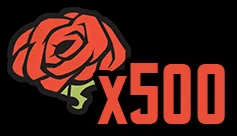
- Content: Lunacy x500
- Recipients: All users whose game accounts were
created before Oct. 15th, 2026, 06:00 AM (KST)
- When: After Oct. 8th (Thu), 2026, 12:00 (KST)
- Can be claimed once per account
Relevant Compensation can be claimed until Oct. 15 (Thu), 2026,
06:00 (KST) via the in-game Mailbox (mail available for 7 days).
Maintenance & Application Update Compensation
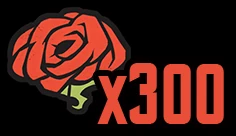
- Content: Lunacy x300
- Recipients: All users whose game accounts were created
before Oct. 15th, 2026, 06:00 AM (KST)
- When: After Oct. 8th (Thu), 2026, 12:00 (KST)
- Can be claimed once per account
Relevant Compensation can be claimed until Oct. 15 (Thu), 2026,
06:00 (KST) via the in-game Mailbox (mail available for 7 days).
Notes
- Please update your game client to the newest version on the respective store (Google Play/App Store/Steam).
- Forcibly shutting down the game while it is downloading resources may cause the download to fail, so please be careful not to close the application during the download.
- You will not be able to play <Limbus Company> during maintenance. Please understand.
- The maintenance schedule may suddenly change depending on its status. If such a change occurs, we will let you know in a follow-up notice.
- A resource download may be prompted after the build update. If you're using a mobile device, it is recommended to proceed with a Wi-Fi connection.
- If you're playing with a guest account, we recommend that you link your account with other platforms to prevent possible account loss.
- The maintenance compensation will be provided once per account. Please note that the distribution may be slow due to network delays or other causes.
- The update gifts are valid to claim for 7 days. Please redeem them within this timeframe.
Thank You.